
Walk clients through unbuilt spaces
Turn your 360° renders into a tour your client opens on their phone or in VR. Connect the rooms, add notes on the materials, and share a private link for review.
Free plan · No credit card · Works on any device
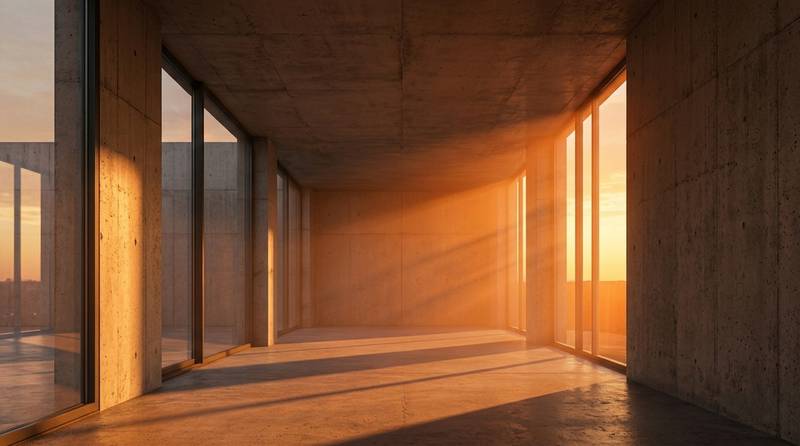
From render to walkthrough
If you already render your designs, you are most of the way there. Export a 360° panorama of each key space and 3D Nova turns them into a walkthrough your client opens on their phone.
Works with your software
Equirectangular 360° renders from SketchUp, 3ds Max, Revit, Blender, Unreal Engine and other render tools.
Clients walk the design
Room to room through the doors you place, with a clickable floor plan to jump anywhere. (Floor plans on Pro and up)
Notes on the details
Info points for materials and finishes, video points for a walkthrough clip or a sun study.
Private until you are ready
Password-protect a tour for a client review. (Business and Team)
Where it helps
- Design reviews: clients understand the space faster than from plans and stills, so feedback is clearer.
- Design options: duplicate a tour for option A and option B and send both links (duplicate on Pro and up).
- Competition entries and pitches: a link the jury or client can open anywhere.
- Off-plan sales for developers: buyers can look around a home before it is built.
- Presentations in VR: the same tour opens in a headset, from Google Cardboard to Meta Quest.
Tip: render each panorama at 2:1 (for example 8192×4096) from the camera height of a standing person, about 1.6 m. Keep the same height in every room so walking through feels natural.
Also have real 360° photos of finished projects? Mix them in the same account and use them for your portfolio.
How to build a design walkthrough
- Export 360° rendersOne equirectangular panorama for each space you want to show, at the same eye height.
- Upload to the builderDrop them into the builder. Each render becomes a scene.
- Connect the spacesPlace door arrows between scenes, and add the floor plan with a pin in each room.
- Add notes and your studio brandInfo points for materials, your logo and a cover page with the project name.
- Share for reviewSend the link, optionally with a password, and see in the analytics which spaces the client looked at.
Which plan fits
| If you… | Plan | Why |
|---|---|---|
| want to test one project | Basic, free | 3 tours, 1 published, VR mode. |
| present to clients under your studio name | Pro, $15/month yearly | Your logo and cover, no watermark, floor plans, duplicate tours for design options. |
| share confidential projects | Business, $30/month yearly | Password-protected tours, unlimited tours, advanced analytics, commercial use. |
| work as a studio team | Team, $59/month yearly | 5 seats, your own domain, full white label, embed tours in your website and portfolio. |
Prices in USD. Yearly billing saves 20%. Full details on the pricing page.
Questions people ask
Can I make a virtual tour from 3D renders instead of photos?
Yes. Export equirectangular 360° panoramas from your rendering software, for example SketchUp, 3ds Max, Revit, Blender or Unreal Engine, and upload them like photos.
What resolution should my 360° renders be?
Use a 2:1 ratio. 8192×4096 gives a sharp result on large screens, and 4096×2048 is fine for phones.
Can I keep a client project private?
Yes. On Business and Team you can set a password on a tour, so only people you give it to can open it.
Can clients see it in VR?
Yes. Every tour has a VR mode that works with phone headsets such as Google Cardboard and with headsets like Meta Quest through the browser.
Can I show two design options?
Yes. Duplicate the tour (Pro and up), swap the renders that change, and send both links.
Build your first tour free
No credit card. Upload your 360° photos, connect the rooms and share one link. Upgrade only when you need more.
Last updated 31 October 2026.