
Virtual tours for real estate listings
Let buyers walk through a property before they book a viewing. Upload 360° photos from any camera, connect the rooms, add your logo and share one link that opens on any phone.
Free plan · No credit card · Works on any device
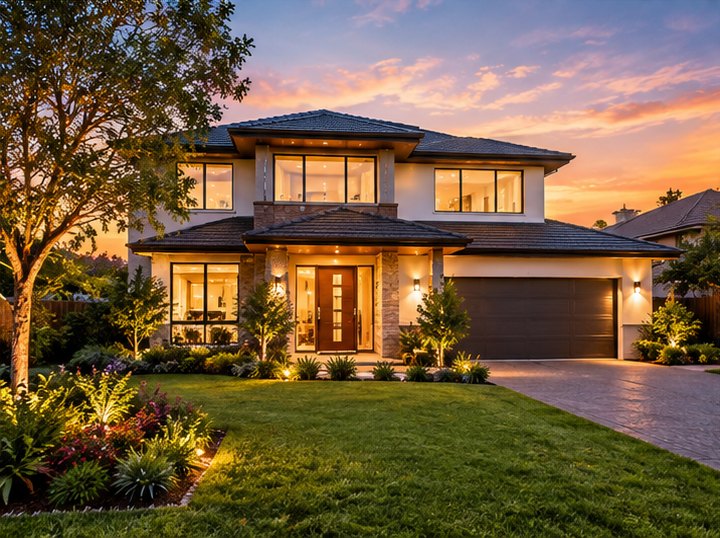
What a buyer sees when you send the link
One link opens the whole property in the browser. Nothing to download and no account to make.
Every room, in 360°
They look around each room and move from room to room through the doors, at their own pace.
The floor plan
A clickable floor plan shows where each room is. Tap a room and the tour jumps there. (Pro and up)
Your name on it
Your logo and cover page on the tour, and your digital business card one tap away. (Pro and up)
A way to reach you
A short form inside the tour sends you the buyer’s details when they want to talk. (Business and Team)
Why agents add a tour to a listing
- Buyers who have already walked through the tour know the layout before they book, so in-person viewings go to the people who are really interested.
- Buyers who live in another city or country can shortlist the property without travelling.
- The listing stays open for viewing day and night, from any phone.
- When you pitch to a seller, you can show them exactly how you will present their home.
No special camera needed. 3D Nova works with photos from any consumer 360° camera, such as Ricoh Theta, Insta360 or GoPro Max. You take one 360° photo in each room and the tour is built from those.
It is a photo tour, not a measured 3D scan. If you need room measurements or a “dollhouse” 3D model, read how 3D Nova compares with Matterport.
How to make a listing tour
- Take one 360° photo per roomStand the camera in the middle of each room at about eye level, open the curtains and tidy up. Shooting tips.
- Upload them to the builderOpen the builder in your browser and drop the photos in. You can try it before you sign up.
- Connect the roomsPlace arrows on the doors so buyers can walk through. On Pro and up, 3D Nova can place them for you and you fine-tune.
- Add your detailsYour logo, a cover page, the floor plan and, on Business, a contact form.
- Publish and shareCopy the link or the QR code into your listing, your website, WhatsApp or email.
- See who lookedAnalytics show views, countries, devices and which rooms people spent time in.
Which plan fits
| If you… | Plan | Why |
|---|---|---|
| want to try it on one or two listings | Basic, free | 3 tours, 1 published at a time, shareable link and VR mode. |
| want your brand on every listing | Pro, $15/month yearly | 25 tours, your logo and cover, no 3D Nova watermark, floor plans, digital business card. |
| want leads and private previews | Business, $30/month yearly | Unlimited tours, lead capture, password-protected tours, advanced analytics. |
| work as a team under your own brand | Team, $59/month yearly | 5 seats, your own domain, full white label, embedding on your website. |
| run an agency with many agents | Nova+ | One shared tour, and every agent gets their own link with their own card. |
Prices in USD. Yearly billing saves 20%. Full details on the pricing page.
Questions people ask
Do I need an expensive camera to make a real estate virtual tour?
No. 3D Nova uses equirectangular 360° photos, which any consumer 360° camera produces, for example Ricoh Theta, Insta360 or GoPro Max. You do not need a LiDAR scanner.
Do buyers need an app to open the tour?
No. The tour opens in the browser on any phone, tablet or computer. Buyers do not need an app or an account.
Can I put my own logo on the tour?
Yes, on Pro and above: your logo and a custom cover page, and the 3D Nova watermark is removed. The Team plan removes 3D Nova branding everywhere and lets you use your own domain.
How many listings can I have?
Basic: 3 tours, with 1 published at a time. Pro: 25 tours, all of which can be published. Business and Team: unlimited.
Is this the same as a Matterport 3D tour?
Not exactly. 3D Nova builds tours from 360° photos, with no measurements or dollhouse model, and it costs less and works with any 360° camera. See 3D Nova vs Matterport for an honest comparison.
Can buyers contact me from inside the tour?
Yes. On Business and Team you can switch on a lead form inside the tour, and you are notified when someone sends it.
Can my whole agency use one tour?
Yes, with Nova+. The agency builds one tour and every agent gets a personal link to it with their own name, photo and contact details.
Build your first tour free
No credit card. Upload your 360° photos, connect the rooms and share one link. Upgrade only when you need more.
Last updated 31 October 2026.